> For the complete documentation index, see [llms.txt](https://vezolve.gitbook.io/activebooks/llms.txt). Markdown versions of documentation pages are available by appending `.md` to page URLs; this page is available as [Markdown](https://vezolve.gitbook.io/activebooks/hr/loans/loan-application.md).
# Loan Application
Loan Application is a document which contains the information regarding the Loan Applicant, Loan Type, Repayment Method, Loan Amount and Rate of Interest.
Employee can apply for loan by going to:
> Human Resources > Loan > Loan Application
### 1. Prerequisites[ ](https://docs.erpnext.com/docs/v13/user/manual/en/human-resources/loan-application#1-prerequisites)
Before creating a Loan Application, it is advisable to create the following documents:
* [Employee](https://docs.erpnext.com/docs/v13/user/manual/en/human-resources/employee)
* [Loan Type](https://docs.erpnext.com/docs/v13/user/manual/en/human-resources/loan-type)
### 2. How to create a Loan Application[ ](https://docs.erpnext.com/docs/v13/user/manual/en/human-resources/loan-application#2-how-to-create-a-loan-application)
1. Go to: Loan Application > New.
2. Enter the Applicant name.
3. Enter loan information such as a Loan Type, Loan Amount and Required by Date.
4. Select the [Repayment Method](https://docs.erpnext.com/docs/v13/user/manual/en/human-resources/loan-application#31-repayment-method) and based on loan information, information such as Total Payable Amount and Interest will be calculated.
5. Save and Submit.
 ### 3. Features[ ](https://docs.erpnext.com/docs/v13/user/manual/en/human-resources/loan-application#3-features)
#### 3.1 Repayment Method[ ](https://docs.erpnext.com/docs/v13/user/manual/en/human-resources/loan-application#31-repayment-method)
There are two types of Repayment Methods in Loan Application:
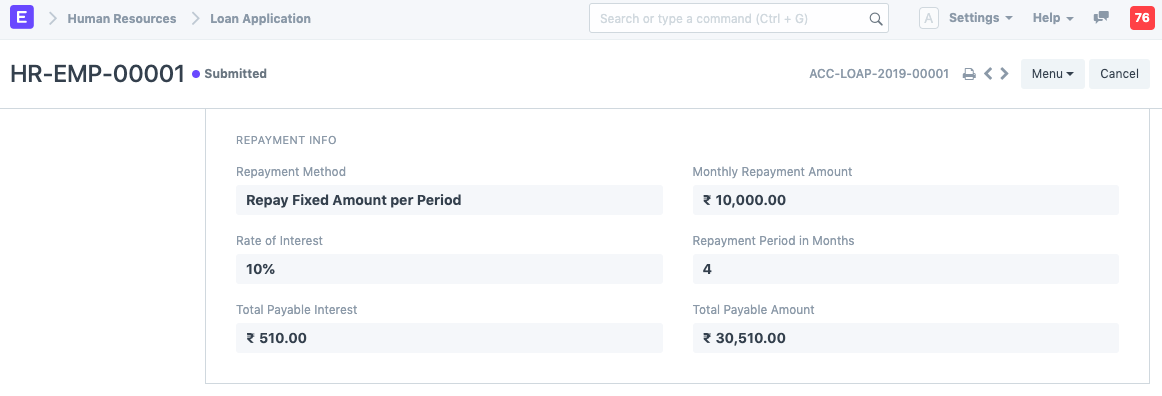
**1. Repay Fixed Amount Per Period**[ ](https://docs.erpnext.com/docs/v13/user/manual/en/human-resources/loan-application#1-repay-fixed-amount-per-period)
* Enter the Monthly Payment Amount.
* Save.
* Once saved, based on the Rate of Interest, the Total Payable Interest and Total Payable Amount will be calculated along with Period in Months.
* Submit.
### 3. Features[ ](https://docs.erpnext.com/docs/v13/user/manual/en/human-resources/loan-application#3-features)
#### 3.1 Repayment Method[ ](https://docs.erpnext.com/docs/v13/user/manual/en/human-resources/loan-application#31-repayment-method)
There are two types of Repayment Methods in Loan Application:
**1. Repay Fixed Amount Per Period**[ ](https://docs.erpnext.com/docs/v13/user/manual/en/human-resources/loan-application#1-repay-fixed-amount-per-period)
* Enter the Monthly Payment Amount.
* Save.
* Once saved, based on the Rate of Interest, the Total Payable Interest and Total Payable Amount will be calculated along with Period in Months.
* Submit.
 **2. Repay Over Number Of Periods**[ ](https://docs.erpnext.com/docs/v13/user/manual/en/human-resources/loan-application#2-repay-over-number-of-periods)
* Enter the Repayment Period in Months.
* Save.
* Once saved, based on the Rate of Interest, the Total Payable Interest and Total Payable Amount will be calculated along with Monthly Repayment Amount.
* Submit.
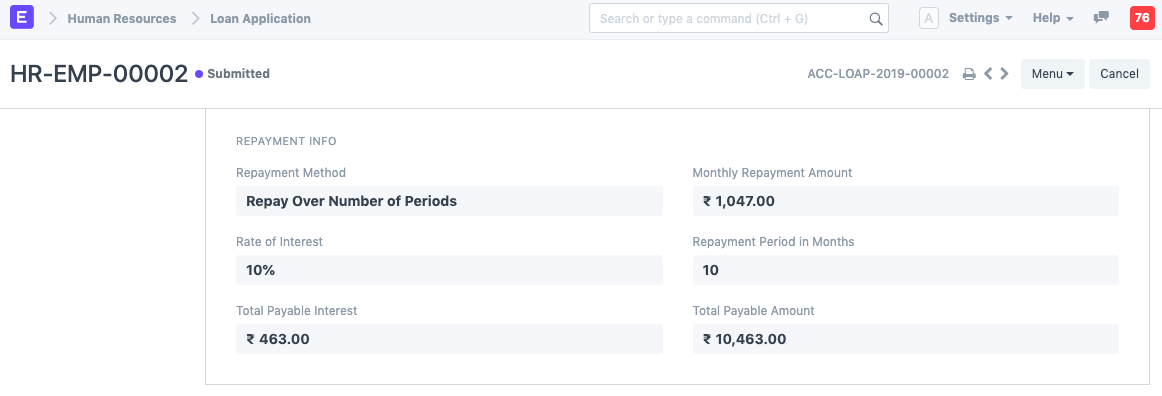
**2. Repay Over Number Of Periods**[ ](https://docs.erpnext.com/docs/v13/user/manual/en/human-resources/loan-application#2-repay-over-number-of-periods)
* Enter the Repayment Period in Months.
* Save.
* Once saved, based on the Rate of Interest, the Total Payable Interest and Total Payable Amount will be calculated along with Monthly Repayment Amount.
* Submit.