Taxes and Charges
You can add a Shipping Rule here for the items in the quotation. To add taxes to your Quotation, you can select a Sales Taxes and Charges Template or add the taxes manually in the Sales Taxes and Charges table. The total taxes and charges will be displayed below the table. Clicking on Tax Breakup will show all the components and amounts.
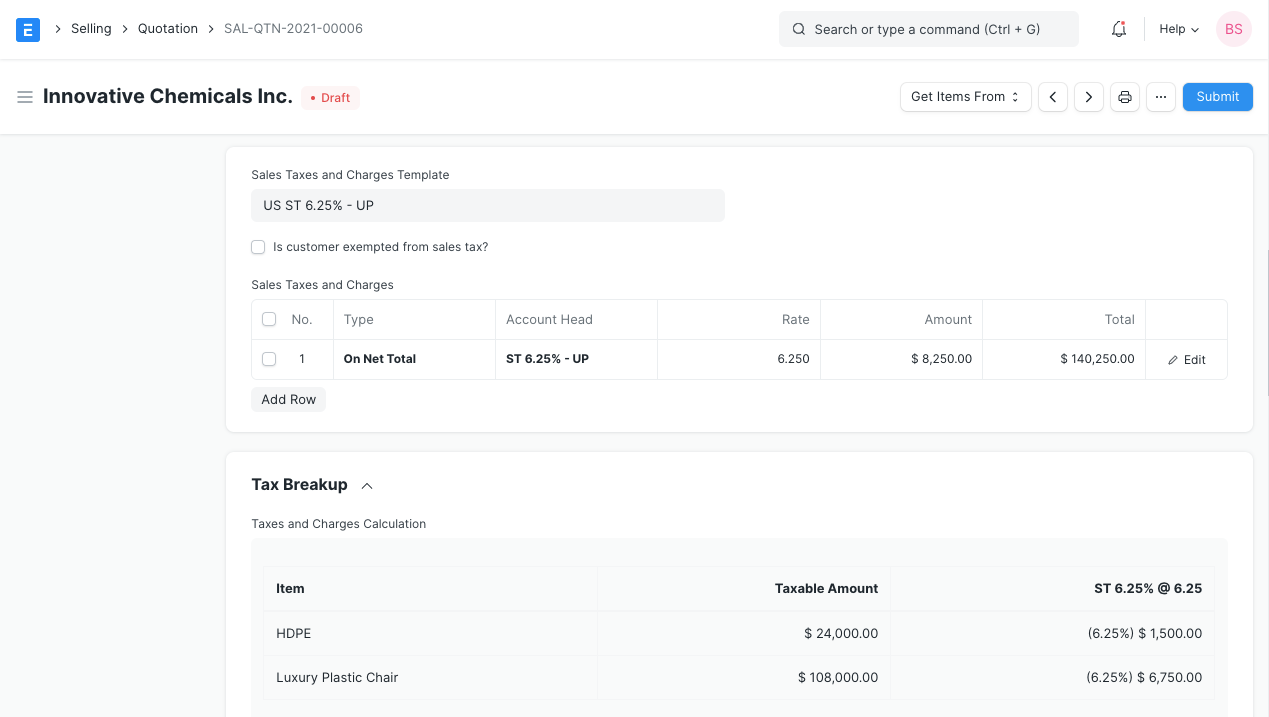
Tax category is linked to Tax Rule. This Tax Category can be assigned to a Customer, so when that customer is selected, the Tax Category will be fetched. This will fetch the Sales Tax Template linked to the Tax Rule. Hence, the rows in the Tax table will be automatically filled. Tax Category can be used to group customers to whom same tax will be applied. For example: Government, NGO, commercial, etc,.
Last updated